Every denial that hits your desk costs money twice: once in the lost time to rework it, and again in the delayed cash flow while it sits in AR. The fastest way to protect both is to stop denials before they leave your building. This 12 point clean claim checklist breaks down exactly what to check on every claim, the most common errors that trigger rejections, and the fix for each one so your practice can consistently hit a 98% first pass acceptance rate.
1. PATIENT DEMOGRAPHICS = 100% MATCH
What to check
Last name, First name, Middle Initial,
DOB
Gender
Address
Phone
Common Errors
Using nickname “Mike” vs legal “Michael”.
Using married name vs maiden name on insurance card.
DOB off by 1 digit.
Fix
Always verify against active insurance card, not driver’s license or EHR history.
Run eligibility the day before DOS and screenshot it.
Pro Tip: Create an intake rule: “No insurance card image = No appointment.”
12 Points Clean Claim Checklist
2. ELIGIBILITY VERIFIED WITHIN 48 HOURS
What to check
Active coverage on DOS,
Plan effective dates
PCP assignment for HMO,
Copay/Deductible/Coinsurance remainings
Prior authorization requirement flag
In network vs Out of network status.
Common Error
Patient had coverage last month but lost job last week.
Plan changed Jan 1 but you used old ID.
Fix
Verify via Availity / payer portal / 270/271.
Document reference number + agent name.
If Medicaid, check eligibility on DOS. It changes daily.
Red Flag: If patient says “I think I have Blue Cross”. Stop and verify. “I think” = denial.
For Medicare, referring provider MUST be in PECOS.
6. DIAGNOSIS CODING, SPECIFICITY AND MEDICAL NECESSITY
What to check
ICD-10 to highest specificity (5-7 characters)
No symptom code if definitive code exists
Code is valid in 2026 (no deleted codes)
Dx order supports medical necessity for CPT
Dx linked in Box 24E.
Common Error
M54.5 (Low back pain) to justify MRI Lumbar. Payer wants M51.37 (Intervertebral disc degeneration, lumbosacral). Or using Z00.6 (Encounter for general exam) with sick visit.
Fix
Every CPT must have at least 1 supporting Dx in 24E.
Use the most specific code in your note. If note says “diabetes with neuropathy” don’t code E11.9, code E11.42.
Rule: If payer LCD says “CPT X requires Dx Y or Z”, print that LCD and give to provider.
7. CPT / HCPCS MUST CORRECT, CURRENT, BUNDLING-CHECKED
What to check
CPT is active in 2026 AMA book, No unbundling (NCCI edits)
Correct modifiers only when documented
Time-based codes match documented time
Units match.
Common Error
Billing 99213 + 93000 together without modifier 25 when appropriate.
Billing 97110 + 97140 together without checking NCCI.
Billing 99396 + 99213 without 25.
Fix
Run every claim through an NCCI checker before submission.
Modifier 25 = “Significant, separately identifiable E/M on same day as procedure.”
Document must prove it.
Pro Tip: Modifier 59 is last resort. Use XS, XP, XU, XE when possible.
Units: 1 unit per procedure unless CPT says “per 15 minutes”.
Common Error
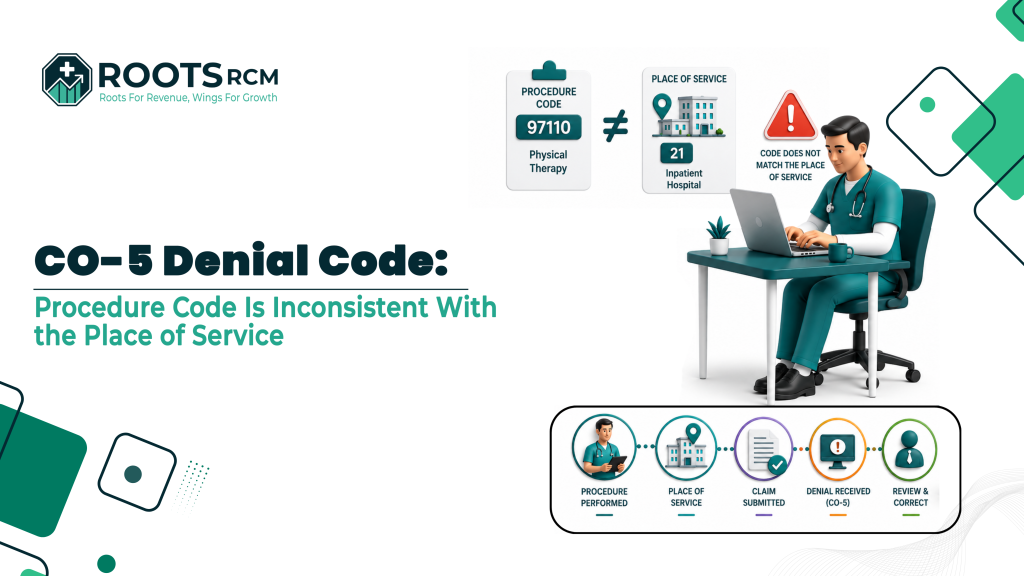
POS 11 for hospital owned clinic that should be POS 19/22 = payment difference of $30-$70. Or DOS after patient death/discharge.
Fix
Map your locations to POS in your PM. Don’t let billers guess.
For telehealth in 2026, POS 10 + modifier 95/GT per payer rule.
9. BOX 27 – ACCEPT ASSIGNMENT
What to check
Box 27 = YES / Checked. Always.
Why this matters: If blank, Medicare and many Blue plans says that claim legally must pay by the PATIENT. You then have to collect from patient, not payer. And collection rate on that = <15%.
Common Error
EHR on default leaves it blank . Or biller thinks “we don’t accept assignment for this plan.”
Fix
Make it a system default in your clearinghouse: YES for all claims.
Override only if you intentionally do not accept assignment (rare).
10. BOX 12 & 13 - SIGNATURE ON FILE
What to check
Box 12 = “Signature on File” or “SOF”
Box 13 = “Y” for “I authorize payment to provider”.
Why this matters:
Box 13 = Y authorizes payer to pay you, not patient.
Box 12 = consent to release info.
Fix:
Your intake forms MUST include: “I authorize release of information for billing and authorize payment directly to [Practice Name].”
Get patient signature annually. Store it.
11. TIMELY FILING, KNOW YOUR CLOCK
What to check
Submission date vs DOS.
Know limits: Medicare 12 months, Medicaid 90 days to 1 year varies by state,
Commercial 90-180 days
Tricare 1 year
Corrected claims often have shorter window.
Common Error
Waiting to “batch” claims weekly. 1 denial pushes you past timely filing.
Or corrected claim filed 31 days after original EOB when payer allows 30.
Fix
Submit daily.
Track “days to bill”
KPI Goal: Bill within 24-48 hours of DOS. Set alert at 75% of timely limit.
Math: If your average claim = $150 and you miss timely on 10/month = $18,000/year written off.
12. ATTACHMENTS & DOCUMENTATION, SEND ON FIRST TRY
What to check
Does payer require: Operative note, Office note, Lab report, ABN for Medicare, LMN, Invoice for DME, W9 for new location?
If yes, send WITH claim, not after denial.
Common Error
Billing 99214 with modifier 25 but not sending office note. Or high level E/M without documentation to support it.
Fix
Build payer specific rules sheet:
“UHC: CPT 19301 always needs operative note.”
Use EDI attachment via clearinghouse with PWK segment. Or use portal.
ABN Note: For Medicare, if you think service may be non covered, get ABN signed BEFORE service, add modifier GA, attach ABN.
BONUS: Pre submission 30 Seconds Audit
Before you hit SEND, ask 3 questions:
Would this pass if a payer auditor reviewed it cold?
If this denies, do I have the note to appeal it tomorrow?
If the patient calls tomorrow, can my front desk explain the charge?
If NO to any , FIX IT NOW.
(Disclaimer: This checklist is for educational purposes only and does not constitute legal, coding, or compliance advice. CPT® is a registered trademark of the AMA. ICD-10 guidelines change annually. Always verify with current payer policies, NCCI edits, and your compliance officer. No PHI was used to create this document.)